 Graylane
Less phone.
More life.
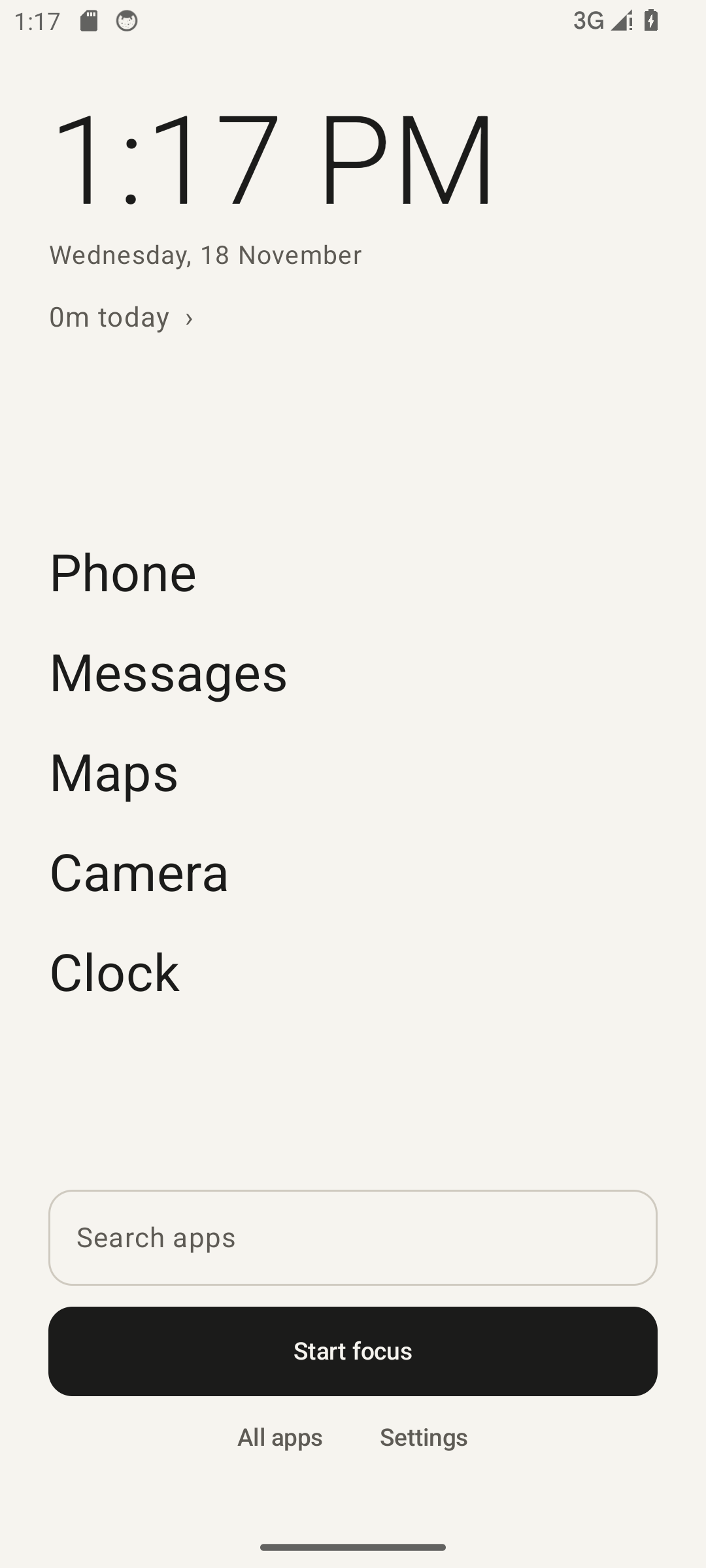
Graylane is a calm Android home screen that shows where your time goes and gently steps in when you drift. No ads. No account. Nothing leaves your phone.
 Coming soon
Android 8.0 or newer. Free, with an optional Pro upgrade.
What it does
Calm home screen
Only the apps you choose, in plain gray text. Nothing to tap just because it glows.
Honest insights
See screen time by day, week and month, which apps take it, and how many times you wake your screen.
Pause, limit, block
Add a short pause before a distracting app, set a daily limit, or block it. Phone, messages, banking and emergency apps are never restricted.
Focus sessions
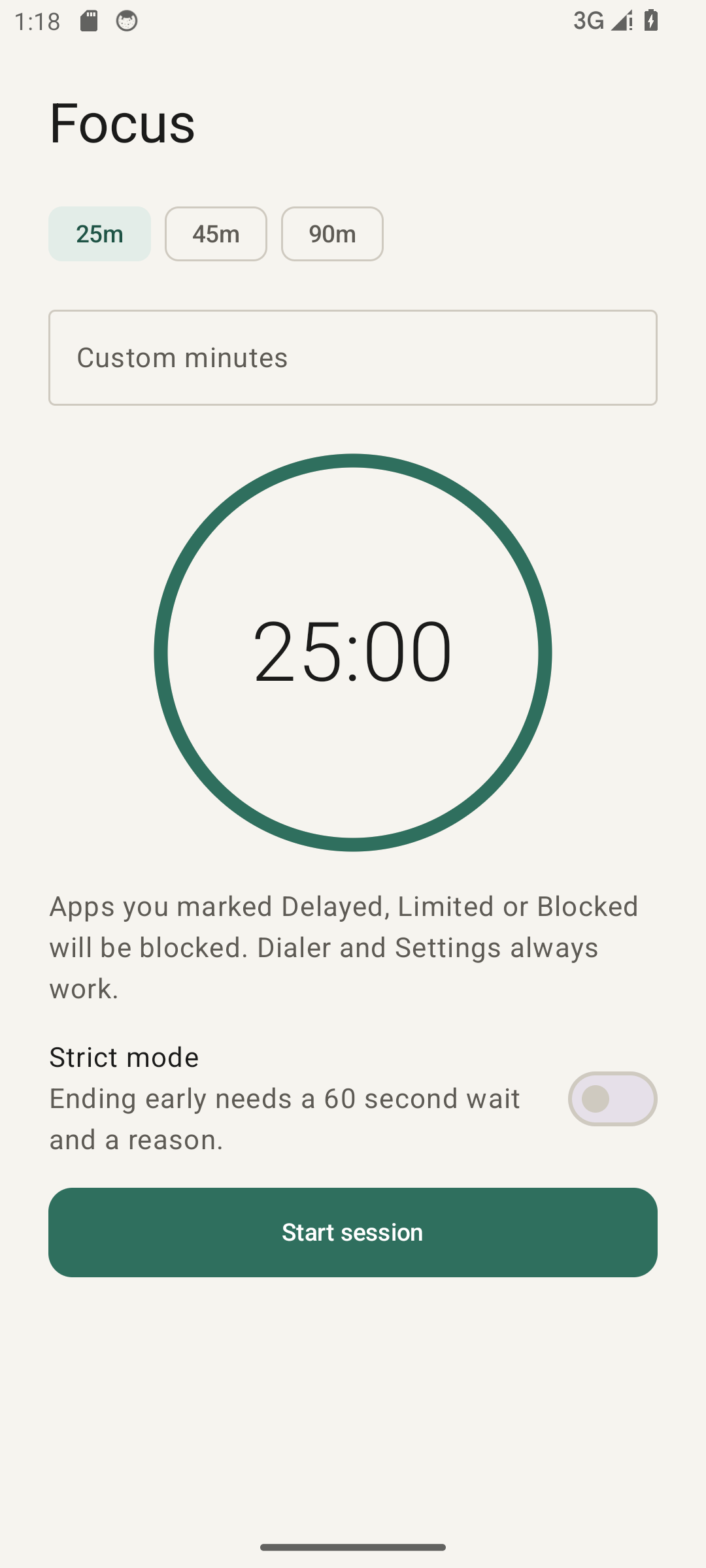
Start a session or set schedules. Strict mode is optional, and Do Not Disturb is restored afterwards.
Quiet notifications
Hold non-urgent notifications and read them together at times you pick. Calls and alarms always come through.
Private by design
All data stays in the app's private storage on your phone. Export or delete it any time in Settings.
Why Graylane asks for permissions
Every permission is optional and explained in the app before you grant it. You can turn any of them off in Android Settings.
- Usage access reads how long apps were used, to show insights and apply limits.
- Accessibility service learns only which app is in front, so Graylane can show a pause or block screen. It does not read screen content, passwords, or anything you type.
- Notification access (only if you turn on holding) lets Graylane hold non-urgent notifications and show them later.
- Do Not Disturb access lets a focus session silence your phone and restore your previous setting afterwards.
Questions
Does Graylane send my data anywhere?
No. There are no accounts, ads or analytics. The only network activity is Google Play handling a Pro purchase. Read the privacy policy.
Is it free?
The core is free. Graylane Pro is an optional purchase through Google Play that adds more rules, schedules and advanced features.
Can it lock me out of my phone?
No. Phone, messages, contacts, banking, payment, authenticator and emergency apps are never blocked, and you can always switch back to your old launcher in Settings.
How do I delete my data?
Settings > Delete data inside the app. Uninstalling also removes everything.
How do I contact you?
Email brijeshyadav30599@gmail.com.